UseCalcPro
Home
MathFinanceHealthConstructionAutoPetsGardenCraftsFood & BrewingToolsSportsMarineEducationTravel
Blog
  1. Home
  2. Construction

Home Energy Monitor Calculator — Phantom Load & Savings

Calculate phantom load costs and savings from real-time energy monitoring

Annual Savings

$116

Phantom

63W

Payback

16 mo

Phantom Load Analysis

Total Standby
63W
Annual kWh
552
Phantom Cost
$77/yr
% of Bill
4%

Savings Breakdown

Phantom Reduction$8/yr
Awareness Savings$108/yr
Total Annual Savings$116/yr

ROI

Monitor Cost$150
Payback Period16 months
5-Year Net$429

Find a Contractor Near You

Get free quotes from licensed contractors in your area

A
Angi4.7/5

Verified reviews & background checks

Get Free Quotes

Showing results for your area

Example Calculations

1Typical Home (5 standby devices, $150/mo bill)

Inputs

DevicesTV, console, cable box, computer, chargers
Total Standby68W continuous
Electricity Rate$0.14/kWh
Monitor Cost$150

Result

Annual Savings$191
Phantom Cost/Year$83
Payback10 months

Phantom: 68W × 8760h / 1000 × $0.14 = $83/yr. 10% phantom reduction = $8. General 6% awareness savings on $1,800/yr bill = $108. Total = $191.

2Tech-Heavy Home (high standby, $200/mo bill)

Inputs

Total Standby120W continuous
Monthly Bill$200
Reduction Target15%
Monitor Cost$200

Result

Annual Savings$370
Phantom Cost/Year$147
Payback7 months

Phantom: 120W × 8760 / 1000 × $0.14 = $147/yr. 15% phantom reduction = $22. General 9% on $2,400/yr = $216. Total = $370.

Frequently Asked Questions

Q

How much do phantom loads cost per year?

The average U.S. home has 40–80 watts of constant phantom load from devices in standby mode. At $0.14/kWh, 60W of phantom load costs $74/year—about 5–10% of a typical electricity bill, running 24/7/365 without providing useful function.

  • Cable/satellite boxes: 15–30W standby (largest single phantom load in most homes)
  • Game consoles: 5–15W standby (instant-on mode doubles standby power)
  • Chargers left plugged in: 1–5W each, but cumulative effect of 5–10 chargers adds up
  • Smart speakers/displays: 3–6W each, always listening for wake words
DeviceStandby WattsAnnual Cost ($0.14/kWh)
Cable Box20W$24.53
Game Console10W$12.26
Desktop Computer8W$9.81
Phone Charger3W$3.68
Smart Speaker4W$4.91
Q

How does an energy monitor save money?

Energy monitors provide real-time feedback on electricity consumption, which studies show reduces usage by 5–15%. A $150 monitor saving 10% on a $150/month bill saves $180/year—paying for itself in under 10 months.

  • Real-time feedback creates behavioral awareness that reduces wasteful habits
  • Identifies high-draw appliances you may not realize are consuming excess energy
  • Detects phantom loads that can be eliminated with smart plugs or power strips
  • Alerts for unusual consumption patterns can catch failing appliances early
Q

What is the best type of home energy monitor?

Whole-home monitors ($100–$300) clamp onto your main panel and track total usage. Circuit-level monitors ($200–$500) identify individual appliance consumption. Smart plug monitors ($10–25 each) track single devices. For most homes, a whole-home monitor provides the best ROI.

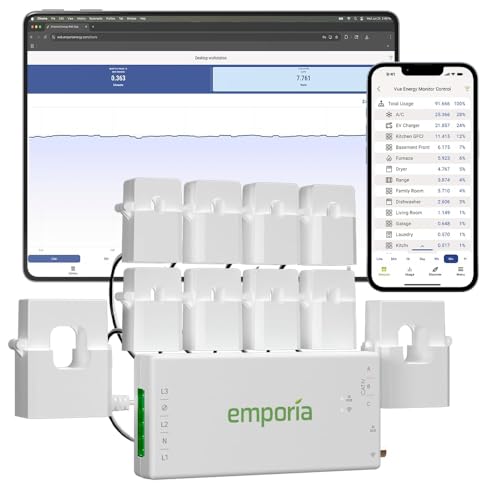
  • Whole-home (Sense, Emporia Vue): best overview, $100–$300, installs at breaker panel
  • Circuit-level (Emporia Gen 2, Curb): identifies each circuit, $200–$500, professional install
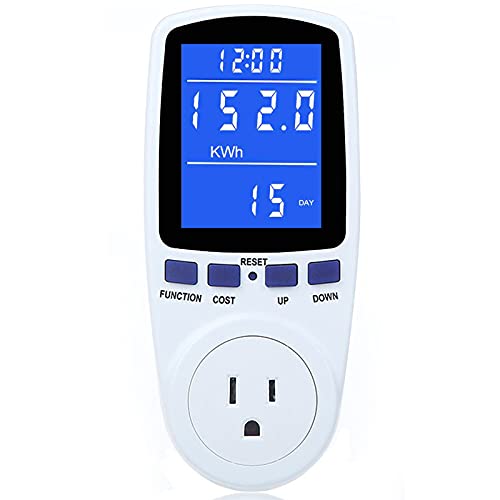
  • Smart plug monitors (TP-Link Kasa, Wemo): $10–$25 per device, no installation needed
  • Utility smart meter apps: free, but update every 15–60 minutes (not real-time)
Q

Can I reduce phantom loads without an energy monitor?

Yes. Smart power strips ($15–30) automatically cut power to devices in standby. Manually unplugging is free but inconvenient. An energy monitor helps identify which devices have the highest standby draw so you can prioritize smart strips where they matter most.

  • Smart power strips with auto-shutoff cut 80–90% of phantom load on connected devices
  • Advanced power strips ($25–40) sense when a primary device is off and kill satellite devices
  • Timer-based strips ($10–20) cut power on a schedule (e.g., off midnight to 6 AM)
  • Enabling “deep sleep” mode on game consoles reduces standby from 15W to 1W

Related Calculators

Electrical Load Calculator

Analyze panel capacity

EV Charger Calculator

Home charging setup

BTU Calculator

HVAC system sizing

Circuit Breaker Calculator

Breaker sizing

Smart Plug Savings Calculator \u2014 Per-Device ROI

Calculate smart plug savings by device. Estimate standby power waste, annual kWh eliminated, per-device payback period, and total ROI across all smart plugs.

Aquarium Electricity Cost Calculator

Calculate how much electricity your aquarium uses per month. Add heaters, filters, lights, and pumps to see itemized costs and annual energy estimates.

Related Resources

How to Build a Deck: Complete Materials & Cost Calculator Guide

Read our guide

Drywall Calculator Guide: Sheets, Mud, Tape & Cost for Any Room

Read our guide

Fence Cost Calculator: Posts, Panels & Materials for Any Yard

Read our guide

Electrical Load Calculator

Panel capacity analysis

BTU Calculator

HVAC sizing

EV Charger Calculator

Home EV charging setup

Circuit Breaker Calculator

Breaker sizing

More Construction Calculators

See all construction calculators

View All

Last Updated: Mar 25, 2026

This calculator is provided for informational and educational purposes only. Results are estimates and should not be considered professional financial, medical, legal, or other advice. Always consult a qualified professional before making important decisions. UseCalcPro is not responsible for any actions taken based on calculator results.

UseCalcPro
FinanceHealthMath

© 2026 UseCalcPro