1HDMI 2.0 at 25 ft for 4K@60Hz
Inputs
Cable TypeHDMI 2.0
Run Length25 ft
Signal4K@60Hz
Result
StatusToo Long (max 15 ft)
HDMI 2.0 supports 4K@60Hz to 15 ft max. A 25 ft run exceeds the limit. Use an active HDMI cable or fiber HDMI.
Cable Check
Partial
Cable
HDMI 2.0
Run
25 ft
HDMI 2.0
Partial
25 ft cable run
1080p 60Hz
Max: 50 ft
4K 30Hz
Max: 25 ft
4K 60Hz
Max: 15 ft

Affiliate link — we may earn a commission at no extra cost to you. Price shown as of the last refresh.
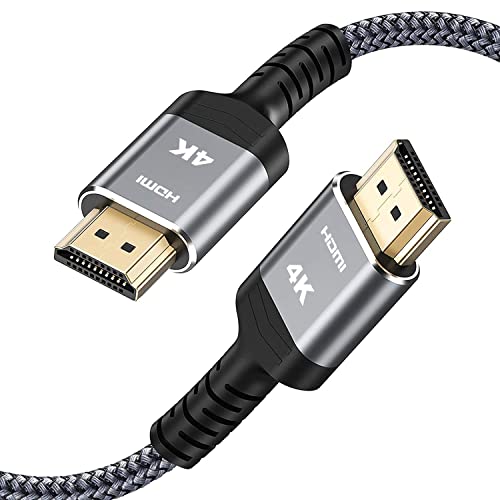

As an Amazon Associate, we earn from qualifying purchases.
Price as of Sep 17, 2026. Product prices and availability are accurate as of the date indicated and are subject to change. Any price and availability information displayed on Amazon at the time of purchase will apply.
Inputs
Result
HDMI 2.0 supports 4K@60Hz to 15 ft max. A 25 ft run exceeds the limit. Use an active HDMI cable or fiber HDMI.
Inputs
Result
Cat6a supports 10 Gbps to 328 ft. At 200 ft, you have 128 ft (39%) margin. Safe run.
HDMI 2.0: up to 50 ft for 1080p, 25 ft for 4K 30Hz, 15 ft for 4K 60Hz. HDMI 2.1: 10 ft for 4K 120Hz, 6 ft for 8K. Active cables or fiber HDMI extends to 100+ ft for 4K.
| Cable | 1080p | 4K@60Hz | 8K@60Hz |
|---|---|---|---|
| HDMI 2.0 | 50 ft | 15 ft | N/A |
| HDMI 2.1 | 50 ft | 10 ft | 6 ft |
| DisplayPort 1.4 | 50 ft | 10 ft | N/A |
| USB-C (passive) | 6.6 ft | 6.6 ft | N/A |
Cat5e/Cat6: 328 ft (100m) for 1 Gbps. Cat6 at 10 Gbps: limited to 180 ft (55m). Cat6a at 10 Gbps: full 328 ft (100m). For longer runs, use fiber optic or a network switch to repeat the signal.
Passive USB-C: 6.6 ft (2m) for full speed. Active USB-C/Thunderbolt: up to 16 ft (5m). USB 2.0 mode: up to 13 ft (4m). For longer runs, use active cables or USB hubs as repeaters.
Use fiber for runs over 150 ft (50m), especially for 10 Gbps+. Fiber is immune to electromagnetic interference, lighter, and supports much longer distances. OM3 multimode: 300m for 10G, 100m for 40G.
Explore cable, bandwidth, and connectivity calculators
Last Updated: Sep 17, 2026
This calculator is provided for informational and educational purposes only. Results are estimates and should not be considered professional financial, medical, legal, or other advice. Always consult a qualified professional before making important decisions. UseCalcPro is not responsible for any actions taken based on calculator results.