1Sunny Day (f/8, 1/250, ISO 100)
Inputs
Aperturef/8
Shutter1/250
ISO100
Result
Exposure ValueEV 14
EV = log₂(64/0.004) = log₂(16000) = 13.97 ≈ 14. Bright daylight conditions.
Exposure Value
EV 10.9
Light
Overcast / Shade
EV100
10.9
Exposure Value
EV 10.9
Overcast / Shade
Aperture
f/5.6
Shutter
1/60
ISO
100
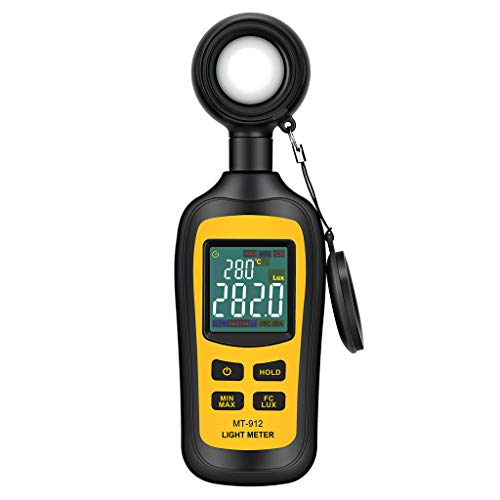
Affiliate link — we may earn a commission at no extra cost to you. Price shown as of the last refresh.


As an Amazon Associate, we earn from qualifying purchases.
Price as of Sep 17, 2026. Product prices and availability are accurate as of the date indicated and are subject to change. Any price and availability information displayed on Amazon at the time of purchase will apply.
Inputs
Result
EV = log₂(64/0.004) = log₂(16000) = 13.97 ≈ 14. Bright daylight conditions.
Inputs
Result
EV100 = log₂(7.84/0.0167) = 8.9. With ISO 800: EV = 8.9 - 3 = 5.9. Indoor dim lighting.
EV is a number representing a combination of aperture and shutter speed at ISO 100. EV 0 = f/1.0 at 1 second. Each +1 EV halves the light (one stop brighter scene). Sunny day = EV 15, indoor room = EV 7-8.
| EV | Scene | f/8 Shutter (ISO 100) | f/2.8 Shutter (ISO 100) |
|---|---|---|---|
| EV 15 | Sunny | 1/500 | 1/4000 |
| EV 12 | Overcast | 1/60 | 1/500 |
| EV 8 | Indoor | 1/4 | 1/30 |
| EV 3 | Dim room | 4s | 1/2 |
Aperture, shutter speed, and ISO each control one stop of light. Changing one requires compensating with another to maintain exposure. f/4 to f/5.6 = -1 stop, so shutter 1/125 to 1/60 = +1 stop to compensate.
ISO controls sensor sensitivity. ISO 100 = cleanest. Each doubling (100→200→400) adds 1 stop of light but also noise. Modern cameras are usable to ISO 3200-6400. Full frame sensors handle higher ISO better than crop.
f/8-f/11 gives the sharpest results on most lenses (sweet spot). f/16+ causes diffraction softening. Use f/11 for front-to-back sharpness and focus at hyperfocal distance. Wide apertures (f/2.8) only for astrophotography.
Explore exposure, DoF, filter, and lens calculators
Last Updated: Sep 17, 2026
This calculator is provided for informational and educational purposes only. Results are estimates and should not be considered professional financial, medical, legal, or other advice. Always consult a qualified professional before making important decisions. UseCalcPro is not responsible for any actions taken based on calculator results.