Tile Layout Patterns Guide: Waste Factors, Grout & Ordering Tips
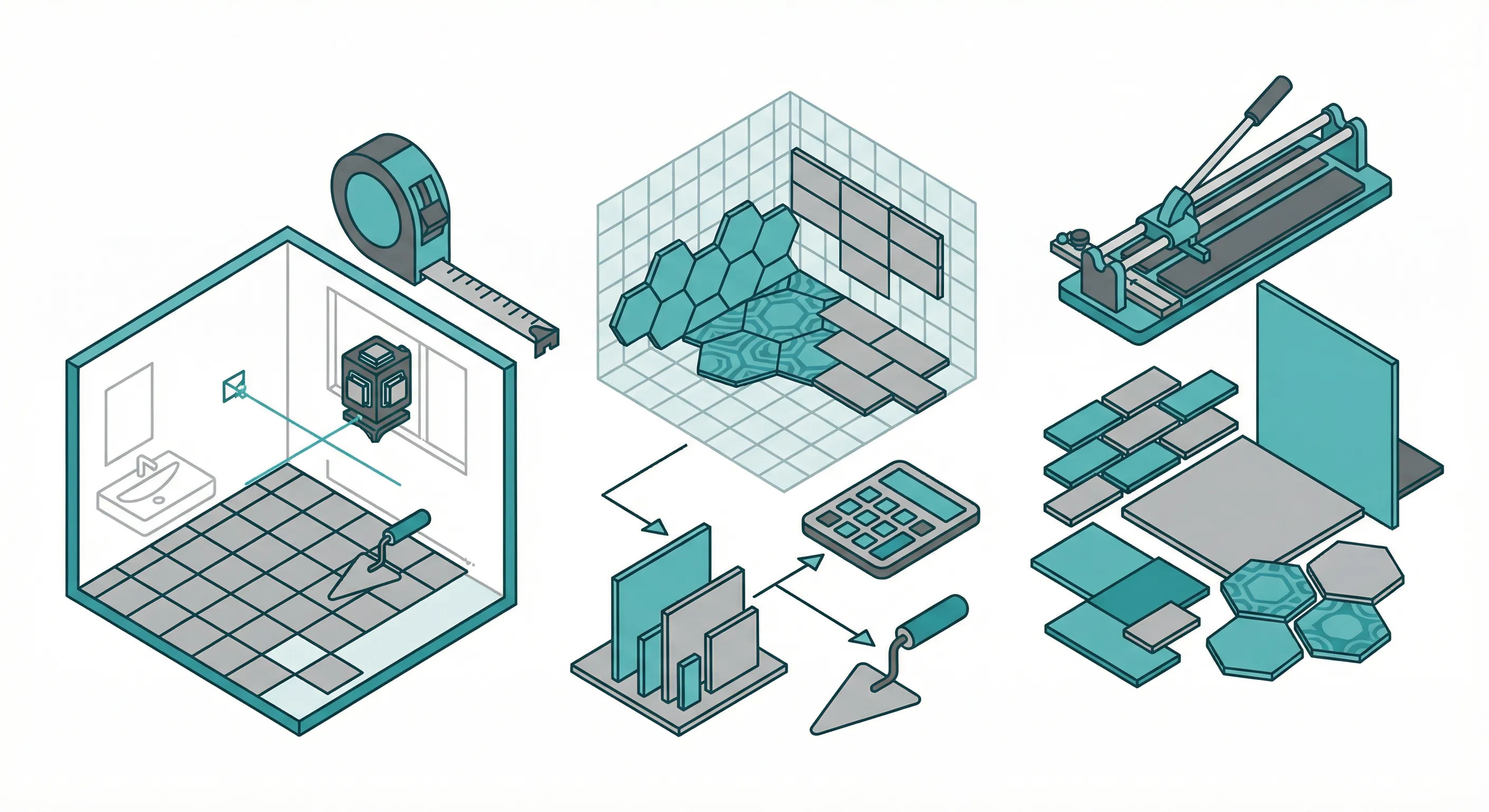
To calculate tiles needed, divide your project area by the tile size, then add 10-15% for waste and cuts. For a 100 square foot bathroom floor using 12×12 inch tiles, you'd need approximately 100 tiles plus 10-15 extra, totaling 110-115 tiles.
I tiled our 72 square foot master bathroom floor and three shower walls (about 96 square feet combined) using 12x24 porcelain tiles. I ordered 15% extra -- 97 tiles total -- and cracked 6 during cutting, which put me right at the edge. The project ran $1,250 in materials including thinset and grout, and that experience convinced me to always budget at least 15% waste for any tile job with wet-saw cuts.
Use our Tile Calculator to get an instant, accurate count for your specific project with proper waste allowances.
How to Calculate Tiles Step by Step
Getting the right tile count requires three measurements: your project area, your tile size, and an appropriate waste factor.
Step 1: Calculate Your Project Area
For rectangular rooms:
Area = Length × Width
For irregular spaces: Break the room into rectangles, calculate each separately, then add them together.
Example (L-shaped bathroom):
- Main section: 8' × 10' = 80 sq ft
- Alcove: 3' × 4' = 12 sq ft
- Total: 80 + 12 = 92 sq ft
Step 2: Determine Tile Coverage
Calculate how much area each tile covers:
| Tile Size | Coverage per Tile | Tiles per Sq Ft |
|---|---|---|
| 4" × 4" | 0.11 sq ft | 9 tiles |
| 6" × 6" | 0.25 sq ft | 4 tiles |
| 12" × 12" | 1.00 sq ft | 1 tile |
| 12" × 24" | 2.00 sq ft | 0.5 tiles |
| 18" × 18" | 2.25 sq ft | 0.44 tiles |
| 24" × 24" | 4.00 sq ft | 0.25 tiles |
Formula:
Tile Coverage = (Tile Length × Tile Width) ÷ 144
(measurements in inches, result in square feet)
Step 3: Calculate Base Tile Count
Formula:
Tiles Needed = Project Area ÷ Tile Coverage
Example (92 sq ft floor with 12×12 tiles):
- Tile coverage: 1 sq ft
- Tiles needed: 92 ÷ 1 = 92 tiles
Step 4: Add Waste Factor
This is the step most DIYers skip — and regret. Always add extra tiles for:
- Cuts at edges and corners
- Broken tiles during installation
- Cutting mistakes
- Future repairs
| Project Type | Waste Factor |
|---|---|
| Simple rectangular room | 10% |
| Room with alcoves/obstacles | 15% |
| Diagonal installation | 15-20% |
| Complex patterns | 20% |
| Walls with windows/fixtures | 15-20% |
Continuing our example (92 tiles + 15% waste):
- Extra tiles: 92 × 0.15 = 13.8 → 14 tiles
- Total: 92 + 14 = 106 tiles
Tip
Always round up to full boxes. If tiles come in boxes of 10 and you need 106 tiles, buy 11 boxes (110 tiles). Those extras are insurance for the future.
Tile Calculation for Common Projects
Bathroom Floor Tiles
Bathroom floors often have toilets, vanities, and alcoves that affect calculations:
What to include:
- Main floor area
- Under vanity (if installing before vanity)
- Closet floors (if tiling)
What to exclude:
- Toilet base (about 1 sq ft savings — barely worth calculating)
- Built-in tubs (measure around the outside edge)
Example (5×8 bathroom with vanity and toilet):
- Total area: 5 × 8 = 40 sq ft
- Subtract vanity footprint: 40 - 4 = 36 sq ft
- Using 12×12 tiles: 36 tiles
- With 15% waste: 36 × 1.15 = 41.4 → 42 tiles
Bathroom Wall Tiles
Wall tile calculations require measuring each wall separately:
Formula:
Wall Area = Height × Width
Subtract: Windows, Mirrors, Fixtures
Example (tiling around a shower):
- Back wall: 5' × 8' = 40 sq ft
- Side wall 1: 3' × 8' = 24 sq ft
- Side wall 2: 3' × 8' = 24 sq ft
- Subtract showerhead/fixtures: -2 sq ft
- Total: 40 + 24 + 24 - 2 = 86 sq ft
Using 4×4 tiles (9 tiles per sq ft):
- Base tiles: 86 × 9 = 774 tiles
- With 15% waste: 774 × 1.15 = 890 tiles
Important
Subway tiles and small tiles use more grout. Factor in extra grout and consider the installation time — small tiles take significantly longer to install than larger formats.
Kitchen Backsplash
Backsplash calculations require careful measurement around outlets and windows:
Standard backsplash:
- Counter to cabinet: typically 18" height
- Length: measure the entire counter run
Example (L-shaped kitchen with 15 linear feet of counter):
- Backsplash area: 15' × 1.5' = 22.5 sq ft
- Subtract outlets (3 × 0.5 sq ft): 22.5 - 1.5 = 21 sq ft
- Using 3×6 subway tiles (8 tiles per sq ft): 21 × 8 = 168 tiles
- With 15% waste: 168 × 1.15 = 193 tiles
Floor Tiles for Living Spaces
Large open areas are simpler to calculate but require attention to doorways and transitions:
Example (16×20 living room with fireplace hearth):
- Total area: 16 × 20 = 320 sq ft
- Subtract hearth: 320 - 8 = 312 sq ft
- Using 18×18 tiles (0.44 tiles per sq ft): 312 ÷ 2.25 = 138.7 tiles
- With 10% waste: 138.7 × 1.10 = 153 tiles
Pattern Layout Affects Tile Count
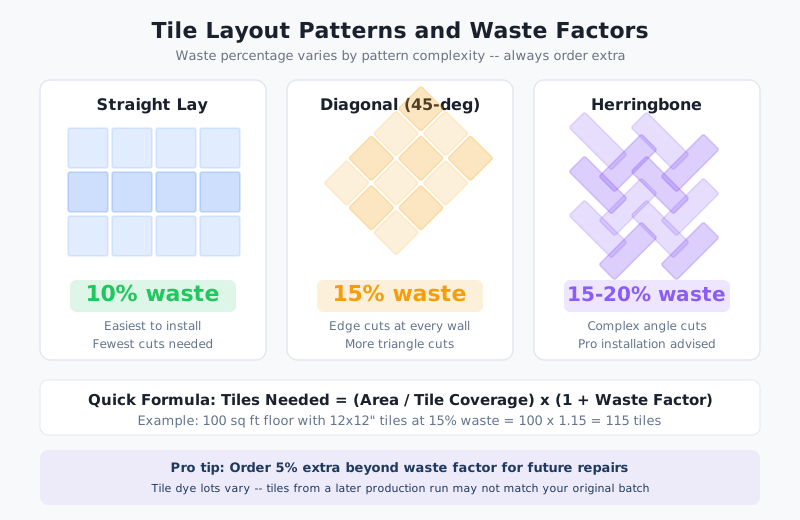
Different installation patterns require different waste allowances:
Straight Lay (Grid Pattern)
The most efficient pattern with minimal waste.
| Waste Factor | Best For |
|---|---|
| 10% | Simple rectangular rooms |
| 12% | Rooms with obstacles |
Diagonal (45-Degree) Pattern
Creates more cuts at walls, requiring additional tiles.
| Waste Factor | Best For |
|---|---|
| 15% | Simple rooms |
| 20% | Rooms with many corners |
Herringbone Pattern
Beautiful but material-intensive due to the angled cuts.
| Waste Factor | Best For |
|---|---|
| 18-20% | All herringbone projects |
| 25% | Beginner installers |
Brick/Offset Pattern
Similar to straight lay but with staggered joints.
| Waste Factor | Best For |
|---|---|
| 10-12% | Standard offset |
| 15% | 1/3 offset patterns |
Warning
First-time tilers should add extra. If this is your first tile project, add an additional 5-10% beyond the standard waste factor. Mistakes happen, and matching tiles later can be impossible.
Calculating Tiles for Irregular Spaces
Rooms with Alcoves
Break the room into rectangles:
Total Area = Main Rectangle + Alcove 1 + Alcove 2...
Rooms with Columns or Cutouts
Calculate the full rectangle, then subtract obstacles:
Usable Area = Total Rectangle - Obstacle Areas
Angled Walls
For walls that aren't 90 degrees, calculate as if they were square, then add 5% extra for the complex cuts.
How to Calculate Tiles Needed for Borders
Decorative borders add visual interest but require separate calculations:
Formula for linear borders:
Border Tiles = Linear Feet ÷ Tile Length
Add 10% for cuts and waste
Example (border around 12×14 room):
- Perimeter: (12 + 14) × 2 = 52 linear feet
- Using 12" border tiles: 52 tiles
- With 10% waste: 52 × 1.10 = 58 tiles
Don't Forget Grout and Supplies
Your tile calculation should include:
Grout
| Joint Width | Coverage per lb |
|---|---|
| 1/16" | 30-40 sq ft |
| 1/8" | 15-25 sq ft |
| 3/16" | 10-15 sq ft |
| 1/4" | 5-10 sq ft |
Thinset/Mortar
- Standard coverage: 40-50 sq ft per 50 lb bag
- Large format tiles (15"+): 30-40 sq ft per bag
- Heavily textured backs: 25-35 sq ft per bag
Tile Spacers
- 1/8 bag per 10 sq ft (small tiles)
- 1/4 bag per 10 sq ft (large tiles)
Common Tile Calculation Mistakes
Mistake 1: Not Ordering Enough
Problem: Running out mid-project and finding the tile is backordered or discontinued.
Solution: Always add waste factor AND round up to full boxes. Order everything at once.
Mistake 2: Not Accounting for Bullnose/Trim
Problem: Forgetting that exposed edges need finished pieces.
Solution: Measure all exposed edges and order appropriate trim tiles separately.
Mistake 3: Ignoring Dye Lot Variations
Problem: Tiles from different production runs may vary slightly in color.
Solution: Order all tiles at once and verify they're from the same lot. Mix tiles from different boxes during installation.
Mistake 4: Measuring in Wrong Units
Problem: Mixing up inches and feet leads to wildly wrong estimates.
Solution: Convert all measurements to the same unit before calculating. Our Tile Calculator handles unit conversions automatically. If you're tiling a bathroom or kitchen as part of a larger renovation, our paint calculator guide helps estimate wall paint for the same rooms.
How to Use Our Tile Calculator
Our Tile Calculator simplifies the entire process:
- Enter room dimensions — length and width in feet or meters
- Input tile size — width and height in inches or centimeters
- Select installation pattern — straight, diagonal, or herringbone
- Choose waste percentage — based on project complexity
- Get results — total tiles needed, plus coverage area
The calculator also provides estimates for grout and thinset quantities.
If your tile project involves pouring a new concrete subfloor or leveling an existing slab, our concrete calculator guide covers everything from cubic yard estimates to ready-mix ordering tips.
Ordering Tips
Before You Order
- Measure twice — Double-check all measurements
- Inspect samples — View actual tiles in your lighting conditions
- Check availability — Confirm stock levels for your quantity
- Verify return policy — Understand terms for unused tiles
When Ordering
- Order all at once — Ensures consistent dye lots
- Request same lot numbers — Ask the supplier to confirm
- Order extra for attic stock — Keep spares for future repairs
- Document everything — Save receipts and lot numbers
Info
Keep 2-3 extra tiles for repairs. Store them in a safe, dry place. When a tile cracks or chips years later, you'll have an exact match ready.
Frequently Asked Questions
How many 12×12 tiles do I need for 100 square feet?
For 100 square feet using 12×12 inch tiles, you need 100 tiles for coverage plus 10-15 tiles for waste and cuts. Order 110-115 tiles total, rounded up to full boxes.
How do I calculate tiles for a wall?
Measure the wall height and width, then multiply to get square footage. Subtract any windows, doors, or fixtures. Divide by the tile size to get the base count, then add 15-20% for cuts and waste since wall installations typically have more obstacles.
Should I order extra tiles?
Yes, always order 10-15% extra for cuts and waste, plus 2-3 additional tiles for future repairs. Tiles can be discontinued or change slightly between production runs, making future matching impossible.
How many tiles are in a box?
Tile box quantities vary by manufacturer and size. Common counts: 12×12 tiles often come in boxes of 10-12, 6×6 tiles in boxes of 44-50, and large format tiles in boxes of 4-6. Always check the box coverage (square feet) rather than just tile count.
Do I need more tiles for diagonal installation?
Yes, diagonal (45-degree) installation creates more cuts along walls and increases waste. Add 15-20% extra compared to 10% for straight installation. The angled cuts also require more skill and time.
How do I calculate tiles for a bathroom with a shower?
Calculate the floor area and each wall section separately. For shower walls, measure height × width of each wall, subtract fixtures, and add 15% waste. For floors, measure total floor area including under the vanity if tiling before installation.
Related Calculators
- Flooring Calculator — Calculate materials for hardwood, laminate, or LVP
- Concrete Calculator — Estimate concrete for slabs and foundations
- Paint Calculator — Calculate paint for walls and ceilings
Conclusion
Calculating tile quantities accurately saves money and prevents mid-project disasters. Measure carefully, choose the right waste factor for your installation pattern, and always round up to full boxes. That extra investment in materials is cheap insurance against discontinued tiles and color variations.
Use our Tile Calculator for instant, accurate estimates. And remember: those leftover tiles aren't wasted — they're future repairs waiting in your garage.
Tile coverage and quantities are estimates based on standard installation practices. Actual requirements may vary based on tile size, layout pattern, and installer experience. Always consult with your tile supplier for project-specific recommendations.
This article is provided for informational and educational purposes only. Content should not be considered professional financial, medical, legal, or other advice. Always consult a qualified professional before making important decisions. UseCalcPro is not responsible for any actions taken based on the information in this article.
Try These Calculators
Estimate 2026 tile backsplash install cost by sqft, tile type, and pattern. Ceramic, porcelain, glass and stone backsplashes typically run $600 to $2,500.
Calculate the number of tiles, boxes, and total cost for your floor or wall tiling project. Accounts for waste percentage, grout spacing, and pattern type.
Estimate 2026 kitchen backsplash cost by sqft, tile type, pattern, and scope. Subway, glass, mosaic, and stone backsplashes run $500 to $4,500 installed.
Estimate 2026 tile floor installation cost by room size, tile type, and prep work. Ceramic, porcelain, and stone quotes typically run $2,000 to $10,000.
Price a 2026 bathroom tile job by scope (floor, shower, walls), tile type, pattern, and US region. Full bathroom re-tiles run $1,800-$12,000 installed.