How Much Mbps Do I Need? Internet Speed by Household, Devices & Activity (2026)
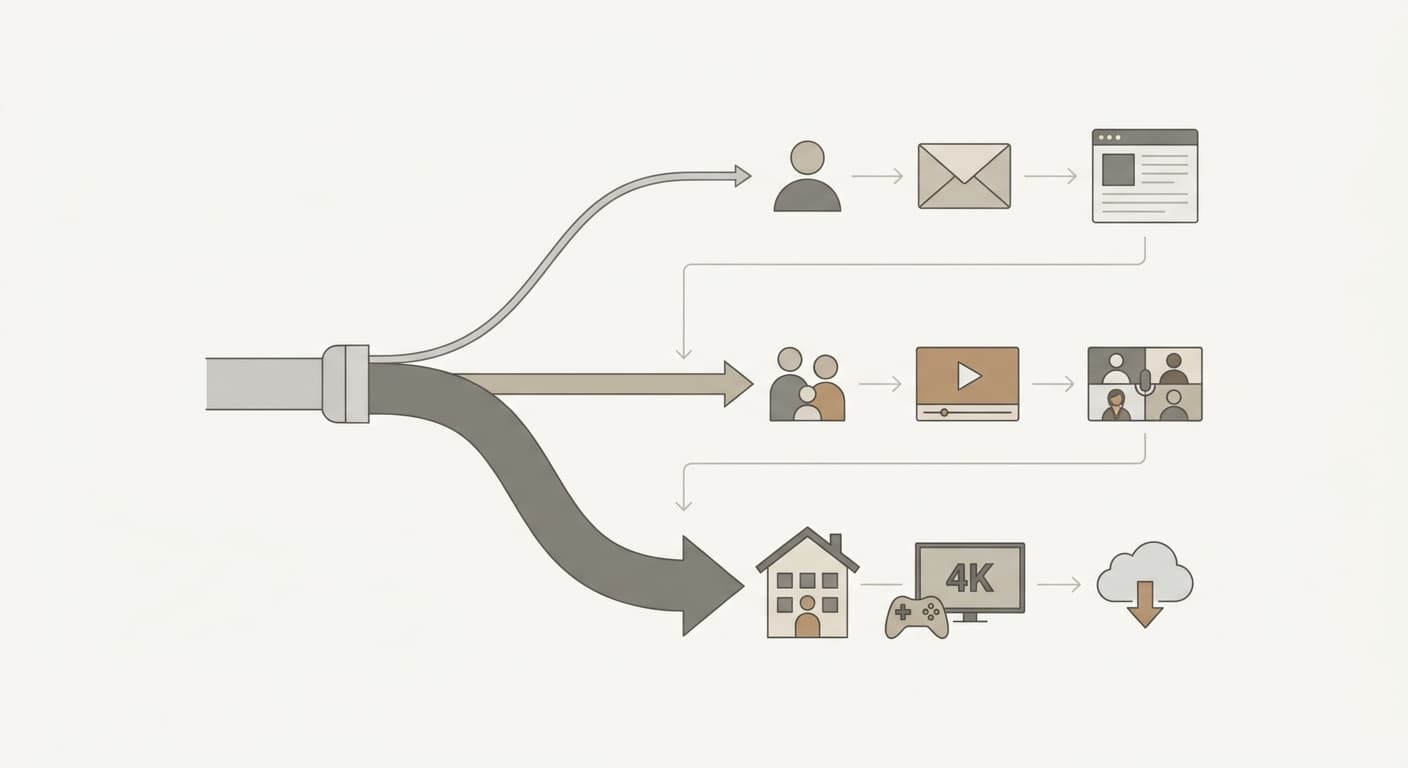
Most households need 100 Mbps download speed in 2026: enough for a family of four to run one 4K stream, two HD streams, and a video call at the same time with headroom to spare. A single light user is fine on 25 Mbps, while a heavy home with multiple 4K streams and gaming wants 200 Mbps or more. The number that actually matters is concurrent demand, not total device count. Add up the speed of every activity happening at once, multiply by 1.25 for overhead, and you have your floor. Run your own numbers with the free Internet Speed Calculator.
When we built the Internet Speed Calculator, the single most common mistake we saw in user feedback was people pricing a gigabit plan because they "have 15 devices." Device count is a red herring. Fifteen idle phones on Wi-Fi pull less than one 4K Netflix stream. A common downgrade path looks like this: a household on a 600 Mbps plan at $95/month adds up their real peak — two 4K streams (50 Mbps) and a Zoom call (3.8 Mbps), under 70 Mbps with headroom — and drops to a 200 Mbps plan at $55/month, saving $480 a year without noticing any difference.
This guide breaks down exactly how many Mbps you need by activity, by household size, and by use case, using current numbers from the FCC, Netflix, and Zoom.
What "Mbps" Means and Why It Is Not the Whole Story
Mbps stands for megabits per second — the rate at which data moves across your connection. It is a measure of flow, not total capacity. A 100 Mbps plan can move 100 megabits every second to all your devices combined, and that pool is shared. Two devices each pulling 50 Mbps will saturate it.
There are two numbers on every plan:
- Download speed — how fast data comes to you. Drives streaming, browsing, and game downloads.
- Upload speed — how fast data leaves you. Drives video calls, cloud backups, and live streaming.
Cable plans are asymmetric: upload is typically just 5–10% of download. A 200 Mbps cable plan often uploads at only 10–20 Mbps. Fiber plans are symmetric — 500 Mbps down means 500 Mbps up. If anyone in the house works from home or streams on Twitch, upload speed is the number to watch, not the headline download figure.
Important
Advertised speed is a maximum, not a guarantee. Wi-Fi overhead, distance from the router, and peak-hour congestion routinely cut real-world throughput by 20–40%. That is exactly why the Internet Speed Calculator adds a 25% headroom buffer to every recommendation.
How Much Mbps Do I Need by Activity?
Every recommendation in this guide is built from these per-activity numbers. The streaming figures are Netflix's official recommended speeds; the video-call figure is Zoom's published requirement for a 1080p group call.
| Activity | Download Needed | Upload Needed | Source |
|---|---|---|---|
| Web browsing / email | 1–3 Mbps | <1 Mbps | General |
| SD streaming (480p) | 3 Mbps | — | Netflix |
| HD streaming (1080p) | 5 Mbps | — | Netflix |
| 4K Ultra HD streaming | 15–25 Mbps | — | Netflix (15 floor) |
| HD video call (Zoom 1080p) | 3.0 Mbps | 3.8 Mbps | Zoom |
| Online multiplayer gaming | 3–10 Mbps | 1–3 Mbps | General |
| Work-from-home (VPN + cloud sync) | 10 Mbps | 5–10 Mbps | General |
| Smart home device (each) | 0.2 Mbps | 0.1 Mbps | General |
A few things stand out. 4K streaming is the single heaviest household activity at 15 Mbps minimum (Netflix's floor) and 25 Mbps recommended once you add a buffer for HDR and peak-hour dips. Gaming, despite its reputation, sips bandwidth — latency (ping) matters far more than throughput for gameplay itself. And smart-home gadgets are nearly free at 0.2 Mbps each; you would need 75 smart plugs to equal a single 4K stream.
Tip
Use 25 Mbps as your planning number for each 4K stream even though Netflix's stated minimum is 15. The extra 10 Mbps covers Dolby Vision, the ad-load on supported tiers, and the buffering spike when someone else in the house starts a download mid-show.
The formula behind every recommendation
The calculator uses one simple equation, and you can run it on paper:
Total Mbps = (sum of all simultaneous activity speeds) × 1.25
The 1.25 multiplier is a 25% headroom allowance for Wi-Fi overhead, background updates, and ISP variability. Here is a worked example for a typical weeknight in a four-person home:
- One 4K stream in the living room: 25 Mbps
- Two HD streams (kids' tablets): 5 + 5 = 10 Mbps
- One Zoom call (parent working late): 3.8 Mbps
- Six idle smart devices and phones: ~2 Mbps
- Raw total: 40.8 Mbps
- × 1.25 headroom = 51 Mbps recommended floor
That family's minimum is 51 Mbps. We still recommend a 100 Mbps plan, because the raw total spikes whenever someone downloads a game update or a second 4K stream starts — and the price gap between 50 and 100 Mbps plans is usually under $15/month.
How Much Mbps Do I Need by Household Size?
The table below applies the formula to common household profiles. "Recommended plan" rounds the calculated floor up to the nearest real-world plan tier and adds room for spikes.
| Household | Typical Peak Activities | Raw Total | Floor (×1.25) | Recommended Plan |
|---|---|---|---|---|
| 1 person, light | 1 HD stream + browsing | 8 Mbps | 10 Mbps | 25 Mbps |
| 1–2 people, moderate | 1 4K + 1 HD + 1 video call | 33.8 Mbps | 42 Mbps | 50 Mbps |
| Family of 4, mixed | 1 4K + 2 HD + 1 call + devices | 40.8 Mbps | 51 Mbps | 100 Mbps |
| Family of 4–5, heavy | 2 4K + 1 HD + gaming + 1 WFH | 75 Mbps | 94 Mbps | 150–200 Mbps |
| 5+ power users | 3 4K + 2 HD + 2 WFH + gaming | 110 Mbps | 138 Mbps | 300+ Mbps |
Re-deriving the heavy family of four to show the math: two 4K streams (50 Mbps) + one HD stream (5 Mbps) + online gaming (5 Mbps) + one work-from-home VPN session (10 Mbps) = 70 raw, plus ~5 Mbps of devices = 75 Mbps. Multiply by 1.25 and you get a 94 Mbps floor, so a 100 Mbps plan is the bare minimum and 150–200 Mbps gives comfortable headroom.
The 5+ power-user row works the same way: three 4K streams (3 × 25 = 75 Mbps) + two HD streams (2 × 5 = 10 Mbps) + two work-from-home VPN sessions (2 × 10 = 20 Mbps) + online gaming (5 Mbps) = 110 raw Mbps. Multiply by 1.25 and the floor is 137.5, which rounds to 138 Mbps — so even a maxed-out household lands well under 150 Mbps, and the 300+ Mbps tier is about download speed and headroom, not raw streaming demand.
Tip
Match the FCC's 2024 broadband benchmark of 100/20 Mbps as your default if you are unsure. The FCC set 100 Mbps download / 20 Mbps upload as the line for "served" broadband precisely because it covers a typical multi-device household. Anything below 100/20 is officially classed as underserved.
How Much Speed for 4K Streaming?
One 4K Ultra HD stream needs 15 Mbps at minimum and 25 Mbps for reliable, buffer-free playback. Netflix's official recommendation is 15 Mbps per 4K stream, but that is the floor on a quiet network with nothing else running. Add HDR, Dolby Vision, or a second device, and 25 Mbps per stream is the realistic planning number.
| 4K Streams at Once | Netflix Floor (15 each) | Recommended (25 each) |
|---|---|---|
| 1 stream | 15 Mbps | 25 Mbps |
| 2 streams | 30 Mbps | 50 Mbps |
| 3 streams | 45 Mbps | 75 Mbps |
| 4 streams | 60 Mbps | 100 Mbps |
This is why a household that "only streams" can still justify 100 Mbps: four simultaneous 4K streams plus the headroom buffer lands almost exactly at 100. If your home tops out at one or two 4K screens, a 50 Mbps plan covers it. Compare your TV's resolution before paying for 4K bandwidth — check the Screen Size Calculator to confirm whether your display even resolves 4K detail at your seating distance.
How Many Mbps for Gaming?
Online gaming needs only 3–10 Mbps of download speed, but latency under 50 ms matters far more than raw bandwidth. Competitive shooters and fighting games are decided by ping, not Mbps. A 25 Mbps connection with 20 ms ping beats a 1 Gbps connection with 90 ms ping every time.
Where speed does matter for gamers is downloads. Modern AAA titles run 50–150 GB, and day-one patches add tens of gigabytes more:
| Plan Speed | Time to Download 50 GB Game | Best For |
|---|---|---|
| 25 Mbps | ~4.4 hours | Casual gaming, slow patches |
| 100 Mbps | ~67 minutes | Most gamers |
| 300 Mbps | ~22 minutes | Frequent new releases |
| 1 Gbps | ~6.7 minutes | Large library, multiple consoles |
The 50 GB / 100 Mbps figure derives directly: 50 GB = 400,000 megabits; at 100 Mbps that is 4,000 seconds, or 66.7 minutes. If you game competitively, spend on a wired Ethernet connection (cuts ping 10–30 ms versus Wi-Fi) before you spend on a faster plan.
How Much Mbps to Work From Home?
A single remote worker needs 10–25 Mbps download and 5–10 Mbps upload; two remote workers in one home should target a 50 Mbps plan with at least 20 Mbps upload. Upload is the bottleneck nobody checks. Your video feed, screen shares, and cloud file syncs all travel up, and cable plans starve upload.
A typical work-from-home stack at peak:
- HD video call (Zoom 1080p): 3.0 Mbps down, 3.8 Mbps up
- VPN tunnel to the office: ~10 Mbps down, 5 Mbps up
- Cloud file sync (OneDrive, Dropbox): 5–10 Mbps up in bursts
- Screen sharing: adds 1–2 Mbps up on top of the call
Warning
A 200 Mbps cable plan with only 10 Mbps upload will choke during a screen-share-plus-cloud-backup moment, even though the download number looks huge. If you work from home daily, prioritize a plan with 20+ Mbps upload or switch to symmetric fiber. The download headline is the wrong number to shop on.
For a two-remote-worker household, two simultaneous video calls (7.6 Mbps up) plus VPN and sync can push 20 Mbps of upload demand — right at the FCC's 20 Mbps broadband threshold. Running your router and modem 24/7 also adds up on the power bill; estimate it with the Electricity Cost Calculator.
Is 100, 200, or 500 Mbps Enough?
Short answer for 2026:
- 100 Mbps is enough for the large majority of households — up to four simultaneous streams (with one in 4K), video calls, gaming, and a normal pile of smart devices. It matches the FCC broadband benchmark for a reason.
- 200 Mbps is enough for heavy homes: two or more 4K streams, multiple remote workers, frequent large game downloads, and 10+ active devices. This is the sweet spot for households that want zero buffering.
- 500 Mbps (and gigabit) is rarely needed for bandwidth alone — even a power-user home peaks around 150 Mbps. The reason to buy it is download time (a 100 GB game in 13 minutes instead of 2 hours) and symmetric fiber upload, not streaming capacity.
| Plan Tier | Comfortable For | Overkill For |
|---|---|---|
| 25 Mbps | 1 light user, basic browsing + 1 HD stream | Anyone streaming 4K |
| 50 Mbps | 1–2 people, occasional 4K, light WFH | Single-person browsing |
| 100 Mbps | Family of 4, mixed 4K + HD + calls | Solo or two-person homes |
| 200 Mbps | Heavy 4K, multiple WFH, frequent downloads | Light streamers |
| 500 Mbps+ | Fast downloads, symmetric fiber upload | Pure streaming households |
The honest takeaway: most people overpay. If your bill keeps climbing, add up your real concurrent peak with the Internet Speed Calculator before you renew. The gap between what people buy and what they use is often $300–$500 a year.
Frequently Asked Questions
How much Mbps do I need?
Most households need 100 Mbps download speed, which covers a family of four streaming, gaming, and video calling at once. A single light user needs only 25 Mbps; a heavy home with multiple 4K streams and remote work wants 200 Mbps. Add up every activity's speed, multiply by 1.25 for overhead, and use the Internet Speed Calculator to confirm.
How much internet speed do I need for 4K streaming?
One 4K Ultra HD stream needs 15 Mbps as Netflix's official minimum and 25 Mbps for reliable, buffer-free playback. Two simultaneous 4K streams need 50 Mbps recommended, and four need 100 Mbps. SD streaming needs only 3 Mbps and HD (1080p) needs 5 Mbps per stream, per Netflix.
What internet speed do I need for gaming?
Online gaming needs just 3–10 Mbps of download speed, but latency under 50 ms matters far more than bandwidth. A 25 Mbps connection with low ping outperforms a gigabit plan with high ping. Faster plans matter mainly for game downloads — a 50 GB title takes 67 minutes on 100 Mbps versus 4.4 hours on 25 Mbps.
How many Mbps do I need for video calls?
A single HD video call needs about 3.0 Mbps download and 3.8 Mbps upload, per Zoom's published requirements for a 1080p group call. Two simultaneous calls push upload demand to roughly 7.6 Mbps, so a home with multiple callers should confirm at least 10–20 Mbps of upload speed, not just download.
How much Mbps do I need to work from home?
One remote worker needs 10–25 Mbps download and 5–10 Mbps upload; two workers should target a 50 Mbps plan with 20+ Mbps upload. Upload is the real constraint because video, screen sharing, and cloud sync all travel upward, and cable plans deliver upload at only 5–10% of the download rate.
How much speed do I need by household size?
Plan for roughly 25 Mbps for one light user, 50 Mbps for a moderate couple, 100 Mbps for a family of four, and 200 Mbps for a heavy multi-streaming home. These figures come from summing each household's peak simultaneous activities and adding a 25% headroom buffer, matching the FCC's 100/20 Mbps broadband benchmark for typical families.
Is download or upload speed more important?
Download speed matters most for streaming, browsing, and gaming; upload speed matters most for video calls, live streaming, cloud backups, and working from home. Cable plans skew heavily toward download, so remote workers and streamers should check the upload figure specifically. Fiber plans offer symmetric speeds and are the best fit for upload-heavy households.
Is 100 Mbps enough for a family?
Yes — 100 Mbps comfortably supports a family of four running one 4K stream, two HD streams, a video call, and a normal set of smart devices simultaneously. That mix totals about 51 Mbps after the headroom buffer, leaving room for download spikes. Families with two or more 4K screens or multiple remote workers should step up to 200 Mbps.
Related Articles
- DIY Home Project Costs by the Numbers (2026) — real session data on how homeowners price projects, a sister piece in our cost-benchmarks series
- Gas vs Electric Water Heater Costs (2026) — another running-cost comparison that uses the same per-unit math approach
Related Calculators
- Internet Speed Calculator — find the exact download and upload speed your household needs and compare it to your current plan
- Bandwidth Calculator — convert between Mbps, MB/s, and GB to size downloads and data transfers
- Electricity Cost Calculator — estimate the monthly cost of running your router, modem, and always-on networking gear
- Screen Size Calculator — confirm whether your TV actually resolves 4K detail before paying for 4K bandwidth
Methodology
Per-activity speed figures are sourced from published provider documentation: streaming speeds from Netflix's recommended internet speeds (3 Mbps HD/720p, 5 Mbps Full HD/1080p, 15 Mbps 4K Ultra HD), video-call bandwidth from Zoom's system requirements (3.0 Mbps down / 3.8 Mbps up for 1080p group calls), and the 100/20 Mbps benchmark from the FCC's 2024 broadband speed report. Household recommendations apply the Internet Speed Calculator's formula of summed concurrent activity speeds multiplied by a 1.25 headroom factor. Your real-world needs depend on simultaneous usage, Wi-Fi quality, and ISP performance.
This article provides general information for educational purposes. Actual internet speed needs vary by household usage patterns, equipment, and provider performance. Test your current speed and compare plans before switching.
This article is provided for informational and educational purposes only. Content should not be considered professional financial, medical, legal, or other advice. Always consult a qualified professional before making important decisions. UseCalcPro is not responsible for any actions taken based on the information in this article.
Try These Calculators
Calculate the exact internet speed your household needs based on streaming, gaming, video calls, and device count. Compare your current plan and savings.
Car carpet replacement cost calculator for DIY and professional installs. Estimate materials, padding, and labor by vehicle type — sedan, truck, or SUV.
Find out exactly how much paint you need for any room — accounts for doors, windows, multiple coats, and ceiling. Get gallons needed and cost estimates.
Estimate how many cords of firewood you need for the winter heating season based on home size, climate zone, and usage. Includes cost ranges by wood type.