Optimal Viewing Distance for a 4K TV: 2026 Size-by-Size Guide
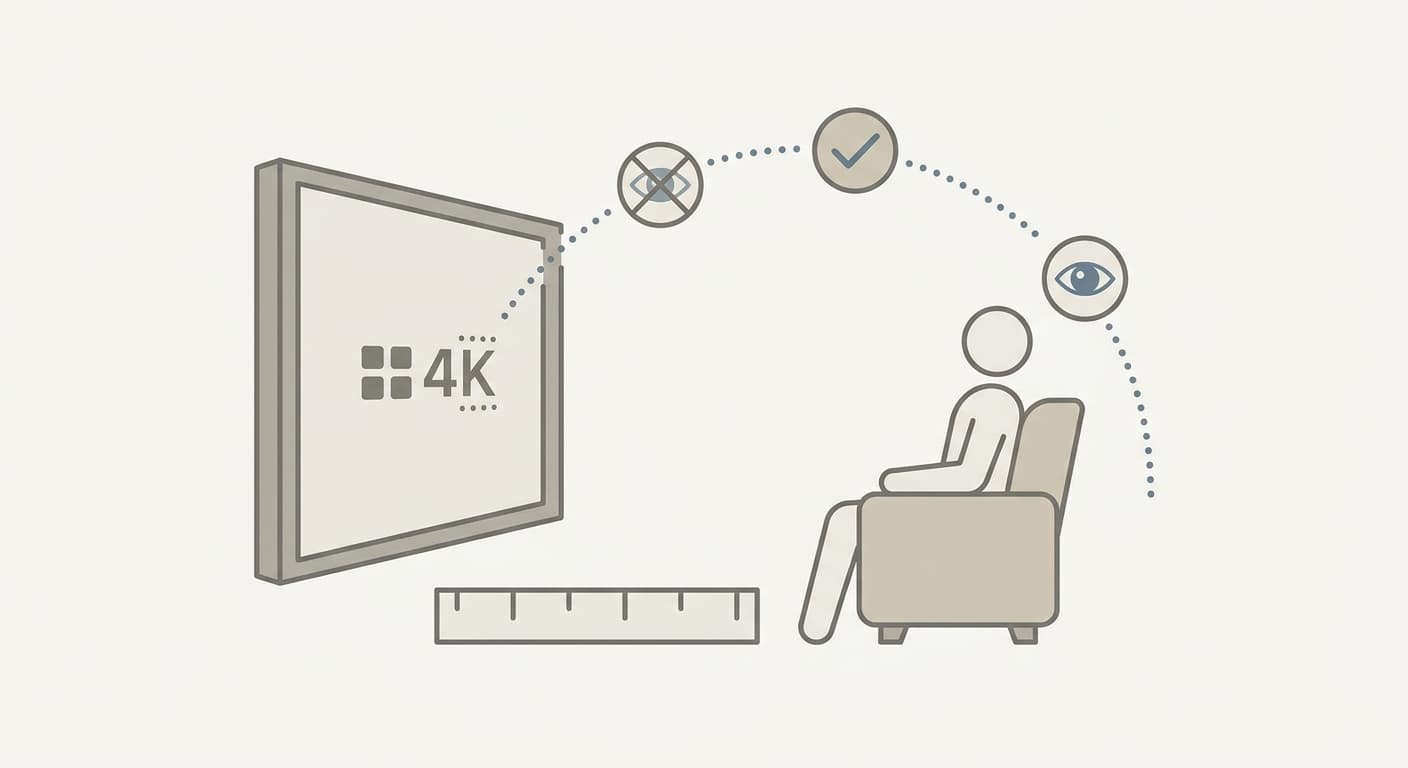
The optimal viewing distance for a 4K TV is about 1.2 times the screen's diagonal, or roughly 1.37 times its width — close enough that the screen fills a 40-degree field of view. For a 65-inch 4K TV that works out to about 6 feet 6 inches; for a 55-inch it is about 5 feet 6 inches. Plug your own screen's diagonal and resolution into our Screen Size Calculator to confirm the physical width these distances are built on.
A common mistake repeats across living room layouts: people buy a 4K TV, then sit so far back that they could not tell it apart from a 1080p set. Take a 65-inch OLED mounted 12 feet from the couch in a long room, with the picture looking "soft." At 12 feet that screen fills only about 22 degrees of vision — below even the relaxed minimum. Moving the sofa to 7 feet fixes everything without spending a dollar. The screen does not change. The geometry does.
This guide gives the exact distance for every common 4K size, explains where the 30-degree and 40-degree standards come from, and shows the simple formula so you can check any TV yourself. For the companion mounting-height and full AV-setup walkthrough, see our TV mounting height and AV setup guide.
What "Optimal" Means: SMPTE 30° vs THX 40°
There is no single magic distance — there are two respected standards, and they answer different questions.
The Society of Motion Picture and Television Engineers (SMPTE) recommends that your screen fill at least a 30-degree horizontal field of view for general, mixed-use TV watching, per the long-standing SMPTE EG-18 guidance summarized in the Optimum HDTV viewing distance article on Wikipedia. That is the comfortable, lean-back number for news, sports, and casual streaming.
THX pushes closer, recommending roughly a 40-degree field of view for an immersive, cinematic experience, and tells shoppers to multiply seating distance by 0.835 to find the right screen size, per THX's "What size TV should I buy for my living room?" guide. That is the number home-theater enthusiasts chase in a dedicated movie room.
The display-testing lab RTINGS ties both standards directly to 4K, noting that 4K resolution is genuinely "worth it" around the THX 40-degree mark, in its TV size to distance relationship breakdown. The takeaway: 30 degrees is the farthest you should sit, and 40 degrees is the closest that stays comfortable for most rooms. Anything between is fine.
Tip
If your room only fits one couch position, design around the 30-degree distance as your maximum. Sitting slightly closer than ideal almost never causes complaints; sitting too far makes a 4K TV look like a 1080p one.
The 4K Viewing Distance Chart (43" to 85")
A 16:9 screen's width equals its diagonal multiplied by 0.872. The viewing distance for a given field-of-view angle is then the width divided by twice the tangent of half that angle. For 30 degrees that multiplier is about 1.866 times the width; for 40 degrees it is about 1.374 times the width. Here is the result for every common 4K size, rounded to the nearest inch.
| TV Size (diagonal) | Screen Width | Closest (40° / THX) | Farthest (30° / SMPTE) |
|---|---|---|---|
| 43" | 37.5" | 4'4" (51.5") | 5'10" (69.9") |
| 50" | 43.6" | 5'0" (59.9") | 6'9" (81.3") |
| 55" | 47.9" | 5'6" (65.9") | 7'5" (89.5") |
| 65" | 56.7" | 6'6" (77.8") | 8'10" (105.7") |
| 75" | 65.4" | 7'6" (89.8") | 10'2" (122.0") |
| 85" | 74.1" | 8'6" (101.8") | 11'6" (138.2") |
Every row reconciles against the published lab figures. RTINGS lists the 50-inch 40-degree distance as 5'0" and the 30-degree distance as 6'9", and the 55-inch and 65-inch 40-degree distances as 5'6" and 6'6" — the same numbers the formula produces above. You can verify the screen-width column for any model with the Screen Size Calculator, which also returns the exact physical height for mounting.
Important
These distances assume a true 16:9 panel and a 20/20-vision viewer. If you wear glasses for distance or your TV is an ultrawide/cinemascope panel, treat the 30-degree column as your target rather than the 40-degree one.
Optimal Viewing Distance for a 50-Inch TV
A 50-inch 4K TV has a screen width of 43.6 inches. The comfortable window runs from 5 feet (40-degree cinematic) to 6 feet 9 inches (30-degree mixed-use). The midpoint — about 5 feet 10 inches — is the safest single number if you want one couch position that handles both movies and casual viewing.
Here is the worked math for the 40-degree distance: width 43.6 inches, divided by twice the tangent of 20 degrees (2 × 0.364 = 0.728), gives 59.9 inches, or 5.0 feet. That matches the RTINGS published 50-inch figure of 5 feet exactly.
A 50-inch set is the most common "second TV" size for bedrooms and apartments. In a typical 11-to-13-foot-wide room, the couch usually lands 7 to 9 feet from the wall — slightly beyond the 30-degree limit. That is fine for a 1080p secondary set, but if you bought 4K specifically for the bedroom, consider a 55-inch or 65-inch instead, or pull a reading chair to the 5-to-6-foot mark for movie nights.
Optimal Viewing Distance for a 55-Inch TV
A 55-inch 4K TV is the single best-selling size in the U.S., and its comfortable range is 5 feet 6 inches (40°) to 7 feet 5 inches (30°). Its screen width is 47.9 inches.
Tip
The 55-inch and 65-inch ranges overlap heavily. If your couch sits 7 feet away, a 55-inch fills almost exactly 30 degrees while a 65-inch fills about 35 degrees — both excellent. When in doubt at 7 feet, size up to the 65-inch; you will never wish it were smaller.
RTINGS notes that 4K stops being distinguishable from 1080p on a 55-inch set somewhere past 7 feet for a viewer with average eyesight. So if your only seating option is 8 feet or farther, a 55-inch 4K TV is technically oversized for the resolution you are paying for — you would get the same perceived sharpness from a cheaper 1080p panel at that distance.
Optimal Viewing Distance for a 65-Inch TV
A 65-inch 4K TV's comfortable range is 6 feet 6 inches (40°) to 8 feet 10 inches (30°), built on a 56.7-inch screen width. This is the size most home-theater guides treat as the "sweet spot" for a primary living room.
RTINGS points out that the distance at which the eye can resolve every individual 4K pixel on a 65-inch screen is about 4 feet — closer than almost anyone actually sits. Practically, any distance between roughly 4 and 8.5 feet lets you appreciate the full jump from 1080p to 4K on a 65-inch set. That wide window is exactly why 65 inches is so forgiving: most real living-room couches (6 to 9 feet) fall right inside it.
| Seating Distance | 40° Cinematic Size (exact / nearest sold) | 30° Mixed-Use Size (exact / nearest sold) |
|---|---|---|
| 5 feet | 50" (50") | 37" (40"-43") |
| 6 feet | 60" (55"-65") | 44" (43") |
| 7 feet | 70" (65"-75") | 52" (50"-55") |
| 8 feet | 80" (75"-85") | 59" (55"-60") |
| 9 feet | 90" (85") | 66" (65") |
| 10 feet | 100" (98") | 74" (75") |
Read this table the way installers do: the middle column is the exact diagonal that fills a 40-degree (immersive) field of view at that distance, and the right column is the exact diagonal for a 30-degree (relaxed) field of view; the parenthetical is the nearest commonly-sold size. Both are "correct" — pick based on whether the room is a cinema or a casual living space. The 40° sizes follow the same geometry as the main chart (diagonal ≈ distance ÷ 1.2): 5 feet × 12 ÷ 1.2 = 50 inches, 6 feet = 60 inches, and so on.
TV Screen Size Viewing Distance Guidelines (The Quick Formulas)
You do not need a chart if you remember two multipliers. Both are measured from your eyes to the screen.
- Cinematic (40°, THX): distance ≈ screen diagonal × 1.2
- Mixed-use (30°, SMPTE): distance ≈ screen diagonal × 1.6
For a 65-inch TV: 65 × 1.2 = 78 inches (6'6") for cinematic, and 65 × 1.6 = 104 inches (8'8") for mixed use. Those land within an inch of the precise geometry in the chart above, so the shortcut is accurate enough for buying decisions.
Warning
The old "sit 1.5x to 2.5x the diagonal away" rule comes from the standard-definition and 1080p era, when sitting close revealed visible scan lines and pixels. On a 4K panel that rule pushes you too far back. For 4K, use the 1.2x-to-1.6x range instead.
A second sanity check is pixel density. A 4K (3840×2160) panel packs four times the pixels of 1080p into the same area, so you can sit roughly half as far before pixels become visible. To see how pixel density changes with size, run any panel through the DPI / PPI Calculator. And if you are deciding between a standard 16:9 set and a wider 21:9 panel, the Aspect Ratio Calculator shows how the width — the number that actually drives viewing distance — changes with shape.
How to Measure Your Real Distance
Get the number right before you buy or remount:
- Measure from the front of your seat cushion (where your head actually rests), not the back of the couch, to the wall the TV sits on.
- Subtract about 6 inches if the TV will be wall-mounted flush; add nothing for a stand at the wall.
- Compare that distance to the chart. If it lands between the 40° and 30° columns for a given size, that size is ideal.
- Confirm the screen's physical width and height with the Screen Size Calculator so you also know the TV will physically fit your media wall and mount height.
For the mounting-height half of the equation — how high the screen center should sit above the floor — our TV Mounting Height Calculator handles seated and standing eye levels.
Frequently Asked Questions
What is the optimal viewing distance for a 4K TV?
The optimal viewing distance for a 4K TV is about 1.2 times the diagonal for an immersive 40-degree field of view, or up to 1.6 times the diagonal for a relaxed 30-degree field of view — for example, 6'6" to 8'8" for a 65-inch TV.
What is the optimal TV viewing distance in general?
The general optimal TV viewing distance is wherever the screen fills 30 to 40 degrees of your horizontal field of vision; SMPTE recommends a 30-degree minimum for mixed use and THX recommends about 40 degrees for cinematic immersion.
What is the optimal viewing distance for a 50-inch TV?
The optimal viewing distance for a 50-inch 4K TV is between 5 feet (40-degree cinematic) and 6 feet 9 inches (30-degree mixed-use), with about 5 feet 10 inches being the best single all-purpose distance.
What is the optimal viewing distance for a 65-inch TV?
The optimal viewing distance for a 65-inch 4K TV is between 6 feet 6 inches and 8 feet 10 inches, and any seat from about 4 to 8.5 feet still lets you see the full benefit of 4K over 1080p.
What are the TV screen size viewing distance guidelines by size?
As a rule, multiply the screen diagonal by 1.2 for a cinematic distance and by 1.6 for a mixed-use distance: 4'4"-5'10" for a 43-inch, 5'6"-7'5" for a 55-inch, 7'6"-10'2" for a 75-inch, and 8'6"-11'6" for an 85-inch 4K TV.
Can you sit too close to a 4K TV?
You can sit closer to a 4K TV than a 1080p one without seeing pixels, but moving much closer than the 40-degree distance pushes the field of view well past 40 degrees, so you have to move your eyes or head to track the full screen, which causes fatigue during long sessions.
Does 4K resolution matter at every distance?
No — 4K only looks sharper than 1080p when you sit close enough to resolve the extra detail; on a 55-inch set past about 7 feet, or a 65-inch past about 8.5 feet, most viewers cannot tell 4K from 1080p.
Related Articles
- TV Mounting Height, Screen Size, and Home AV Setup Data in 2026 — How to choose mounting height and screen size for 55" and 65" TVs and set up monitors.
Related Calculators
- Screen Size Calculator — Find any display's PPI, physical width, height, and aspect ratio from its diagonal and resolution.
- DPI / PPI Calculator — Compare pixel density across panel sizes to judge how close you can sit before pixels show.
- Aspect Ratio Calculator — See how 16:9 vs 21:9 changes screen width, the number that drives viewing distance.
- TV Mounting Height Calculator — Get the correct mount-center height above the floor for seated or standing viewing.
This article provides general information for educational purposes. Viewing comfort varies with eyesight and content; adjust to what looks best to you.
This article is provided for informational and educational purposes only. Content should not be considered professional financial, medical, legal, or other advice. Always consult a qualified professional before making important decisions. UseCalcPro is not responsible for any actions taken based on the information in this article.
Try These Calculators
Calculate the perfect TV viewing distance or ideal screen size for your room. Compare 720p, 1080p, 4K, and 8K setups with THX-standard angle guidelines.
Calculate rebar spacing, bar count, total weight, and steel reinforcement ratio per ACI 318-19. Supports #3 through #8 bars for concrete slabs and footings.
Calculate the right tablecloth size for rectangular, round, square, or oval tables. Shows standard sizes, drop lengths, fabric yardage, and rental costs.